
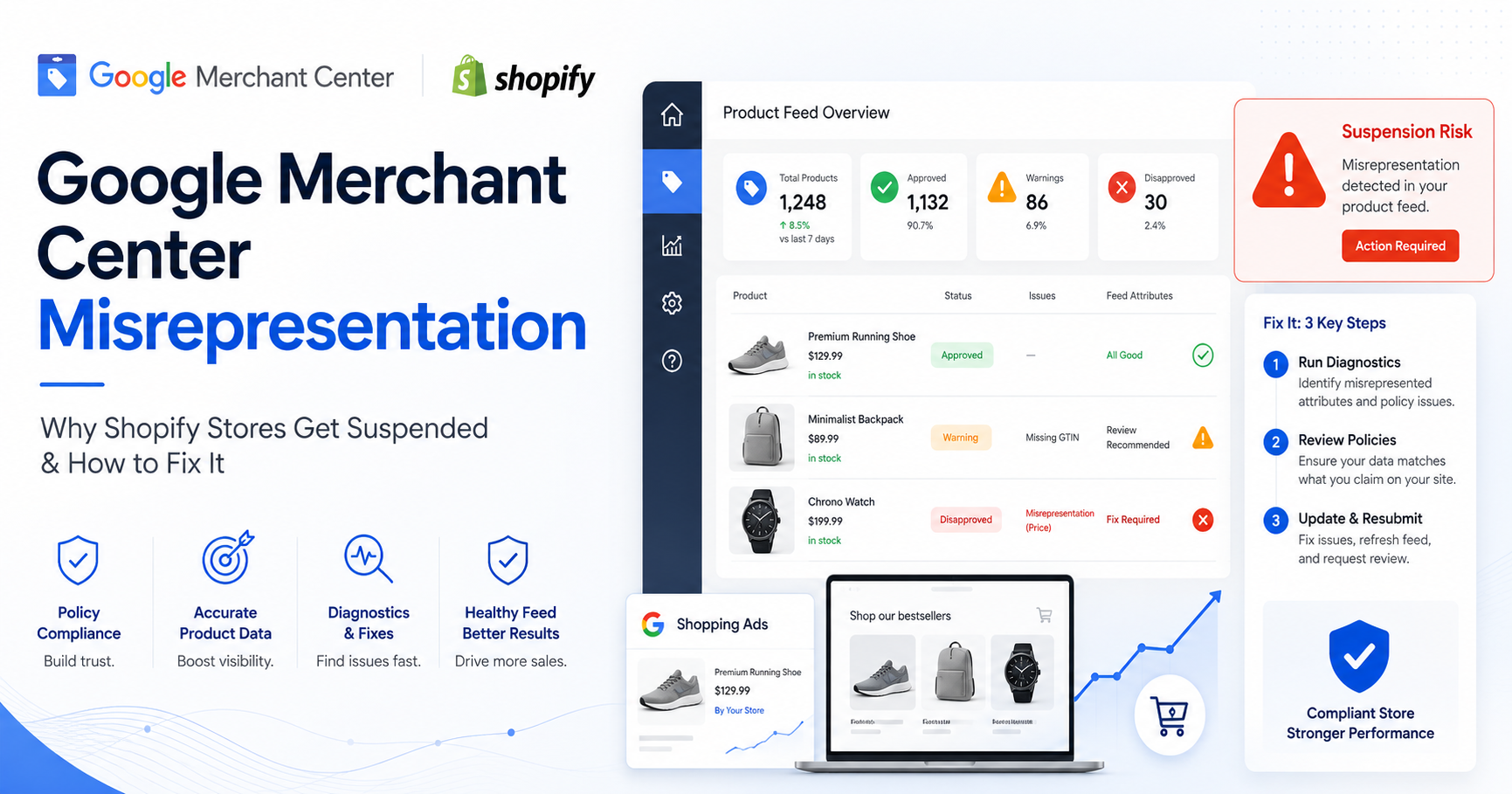
For ecommerce brands, Google Shopping can be one of the fastest ways to generate high-intent traffic. The customer is already searching, the product appears directly in front of them, and the buying journey is shorter than most awareness channels.
But before a store can scale through Shopping Ads, Performance Max, or free product listings, it needs one thing first: trust.
That is where many Shopify stores fail.
One of the most common and frustrating issues merchants face is a Google Merchant Center misrepresentation suspension. The problem is not always that the store is fake or intentionally misleading. In many cases, the issue comes from missing business details, unclear policies, inconsistent product data, weak trust signals, or a website experience that Google cannot fully verify.
The result is the same: products stop showing, campaigns cannot scale, and the store loses one of its most important growth channels.
This guide explains what misrepresentation usually means, why Shopify stores are especially vulnerable to it, and what to fix before submitting a review or launching serious Google Ads campaigns.
What does Google Merchant Center misrepresentation mean?
Google Merchant Center misrepresentation means Google believes that a business, website, product, promotion, or customer experience may be misleading, incomplete, unverifiable, or unsafe for shoppers.
This can include obvious issues such as fake claims or hidden costs, but it can also include smaller trust gaps that store owners often overlook.
For example, a store may get flagged because:
- The business identity is not clear.
- Contact information is missing or inconsistent.
- Shipping and return policies are vague.
- Product prices do not match between the website and feed.
- The checkout experience shows unexpected costs.
- Product claims sound exaggerated or unsupported.
- The website looks incomplete or recently copied.
- The product feed contains inaccurate titles, variants, images, or availability.
Google wants shoppers to know who they are buying from, what they are buying, how much they will pay, when they will receive it, and what happens if something goes wrong.
If that information is not clear, the store becomes a risk.
Why Shopify stores often get suspended for misrepresentation
Shopify makes it easy to launch quickly. That is great for speed, but risky for compliance.
Many stores go live with a nice theme, imported products, basic policy templates, and a connected feed app. Visually, the store may look ready. From Google’s point of view, it may still be incomplete.
The most common Shopify-related issues include:
1. Generic policy pages
Many Shopify stores use default policy templates without adapting them to the real business. The pages may exist, but they do not answer the questions Google and customers need answered.
A good policy page should clearly explain:
- Shipping countries and delivery timelines
- Return and refund conditions
- Who pays return shipping
- Damaged or defective product process
- Contact method for support
- Business identity and location
- Payment and cancellation terms
Having a “Shipping Policy” page is not enough. The content must be specific, consistent, and believable.
2. Missing or weak contact details
A contact form alone is usually not strong enough for trust.
A compliant ecommerce store should make it easy for customers to identify and contact the business. Ideally, the footer and contact page should include:
- Business name
- Email address
- Phone number, if available
- Business address or registered address
- Support hours, if applicable
- Clear contact form
- Social media links, if active and professional
The goal is simple: a customer should not feel like the store is hiding behind a website.
3. Inconsistent product data
Your product feed must match your website.
If Google sees one price in Merchant Center and another price on the product page or checkout, that can create a trust issue. The same applies to availability, product titles, colors, sizes, images, shipping fees, and product descriptions.
Common feed problems include:
- Wrong product variants
- Mixed languages in product options
- Missing GTINs where required
- Incorrect availability
- Sale prices that do not match the website
- Product images that do not clearly show the item
- Titles stuffed with keywords instead of clear product names
- Product categories that do not match the real item
A clean feed is not just an advertising requirement. It is a trust signal.
4. Hidden costs at checkout
One of the fastest ways to lose customer trust is to show one price on the product page and a very different total at checkout.
Google expects the customer journey to be transparent. If shipping fees, taxes, handling fees, or extra costs only appear late in the checkout, the store may look misleading.
Before launching Shopping campaigns, check:
- Product page price
- Cart price
- Checkout price
- Shipping fee visibility
- Tax visibility
- Discount conditions
- Currency consistency
- Final total before payment
Customers should never feel tricked by the final amount.
5. Overpromising in product claims
Some stores use aggressive claims to increase conversion rates. This can create policy risk.
Examples include:
- “Guaranteed results”
- “Official product” when not authorized
- “Medical-grade” without proof
- “100% authentic” without brand authorization
- “Best price online” without validation
- Fake urgency or countdown timers
- Reviews or testimonials that look fabricated
Strong copy can help sales, but it must stay realistic, provable, and compliant.
The misrepresentation checklist every Shopify store should complete
Before requesting a review or scaling Google Ads, complete this checklist.
Business trust
- Add clear business information to the footer.
- Make the contact page complete.
- Use a professional business email.
- Keep business details consistent across the website, Merchant Center, Google Ads, and payment provider.
- Avoid hiding company identity.
Policy pages
- Create clear shipping, return, refund, privacy, and terms pages.
- Make sure each policy is specific to the store.
- Mention delivery timelines clearly.
- Explain return eligibility and process.
- Add customer support contact details.
- Make policies accessible from the footer.
Product pages
- Use accurate titles and descriptions.
- Show clear product images.
- Avoid exaggerated claims.
- Display price, availability, size, color, and variant options clearly.
- Make delivery and return information easy to find.
- Remove duplicate, broken, or empty product pages.
Feed quality
- Match product prices with the website.
- Match availability with the website.
- Use correct product identifiers where available.
- Keep product titles clean and relevant.
- Fix incorrect variant mapping.
- Make sure language and currency match the target country.
- Review diagnostics before submitting products.
Checkout experience
- Make shipping costs clear.
- Avoid surprise fees.
- Ensure the checkout works properly.
- Keep currency consistent.
- Make payment methods visible and trustworthy.
- Test the full purchase flow before launching ads.
Website quality
- Fix broken links.
- Remove placeholder content.
- Check mobile speed and usability.
- Make navigation clear.
- Add an About page that explains the business.
- Use consistent branding across all pages.
- Avoid copied content from other stores.
Why fixing misrepresentation is also good for conversion rate
Many merchants see compliance as a Google requirement only. That is the wrong way to look at it.
The same elements that help Google trust your store also help customers trust your store.
A clear return policy reduces hesitation.
Accurate product information reduces refund requests.
Visible contact details increase confidence.
Transparent checkout costs reduce abandoned carts.
A clean feed improves ad relevance and traffic quality.
In other words, misrepresentation fixes are not just technical corrections. They improve the full ecommerce growth system.
This is why stores should not wait for a suspension before reviewing trust and compliance. The best time to fix these issues is before the first major campaign launch.
How Adon Technologies approaches Merchant Center readiness
At Adon Technologies, we do not look at Google Ads as isolated campaigns. We look at the full ecosystem behind performance.
For ecommerce brands, that ecosystem includes:
- Website trust
- Product feed quality
- Google Merchant Center readiness
- Tracking accuracy
- Campaign structure
- Landing page experience
- Conversion data
- Scaling strategy
A campaign can only perform as well as the system behind it.
If the feed is inaccurate, Shopping performance suffers.
If policies are weak, Merchant Center risk increases.
If tracking is broken, optimization becomes unreliable.
If the website lacks trust, traffic will not convert properly.
That is why compliance, diagnostics, and performance must work together.
Through performance strategy, Google Ads expertise, and AI-powered tools such as SLVD, Adon Technologies helps brands identify risks before they block growth. The goal is not only to fix problems after suspension. The goal is to build a cleaner, safer, and more scalable advertising foundation from the start.
When should you request a Merchant Center review?
Do not rush the review.
Many merchants make the mistake of submitting an appeal immediately after making one or two quick edits. If the core issues are still present, the review may fail and the account becomes harder to recover.
Before requesting a review, make sure:
- All policy pages are complete.
- Business information is clear and consistent.
- Product data matches the website.
- Checkout has been tested.
- Broken pages are fixed.
- Misleading claims are removed.
- Merchant Center diagnostics are reviewed.
- The website has been recrawled after changes.
Your appeal should be clear, honest, and specific. Explain what was fixed, where it was fixed, and how the store now meets Google’s requirements.
Final thoughts
Google Merchant Center misrepresentation is not just a suspension issue. It is a trust issue.
If Google cannot confidently understand your business, products, policies, and customer experience, your store becomes harder to approve and harder to scale.
For Shopify stores, the safest approach is to build compliance into the growth process from the beginning. Before increasing ad spend, make sure your website, feed, policies, checkout, and tracking are all aligned.
A store that is clear, accurate, and trustworthy is not only more compliant. It is also more likely to convert.
If your ecommerce store is preparing to launch Google Shopping, Performance Max, or scale internationally, Adon Technologies can help you review your advertising ecosystem, identify Merchant Center risks, and build a stronger foundation for profitable growth.
Need a Google Merchant Center or Shopify feed review? Contact Adon Technologies to assess your store before scaling your ads.